Solutions
Automation Tools
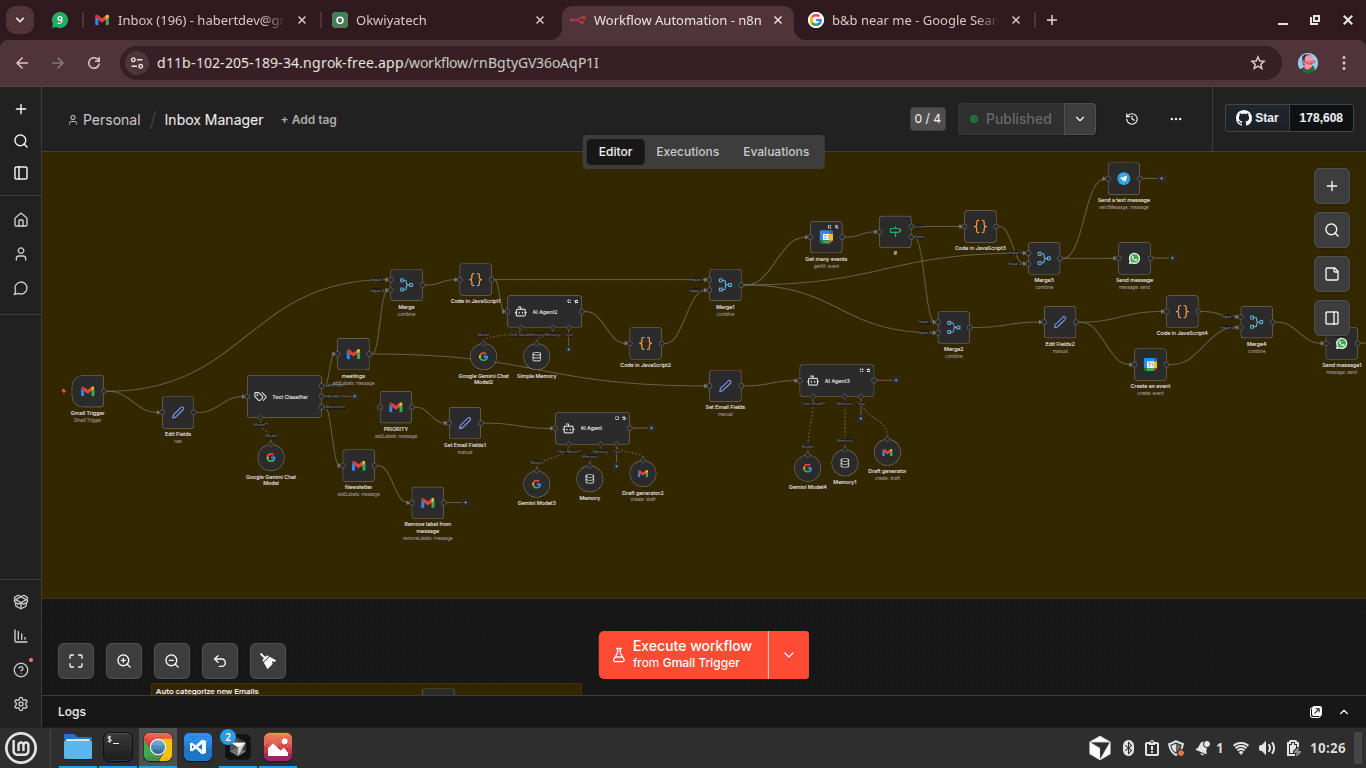
A virtual personal assistant that handles inbox management, task tracking, calendar organization, document handling, analytics, and multi-channel alerts so you can focus on what matters.
What it does
Features by Category
Automations that connect Gmail, Calendar, Drive, Tasks, and your favourite tools—with notifications via email, Slack, Telegram, or SMS.
Email Automation
Take control of your inbox with smart labeling, summaries, and follow-ups.
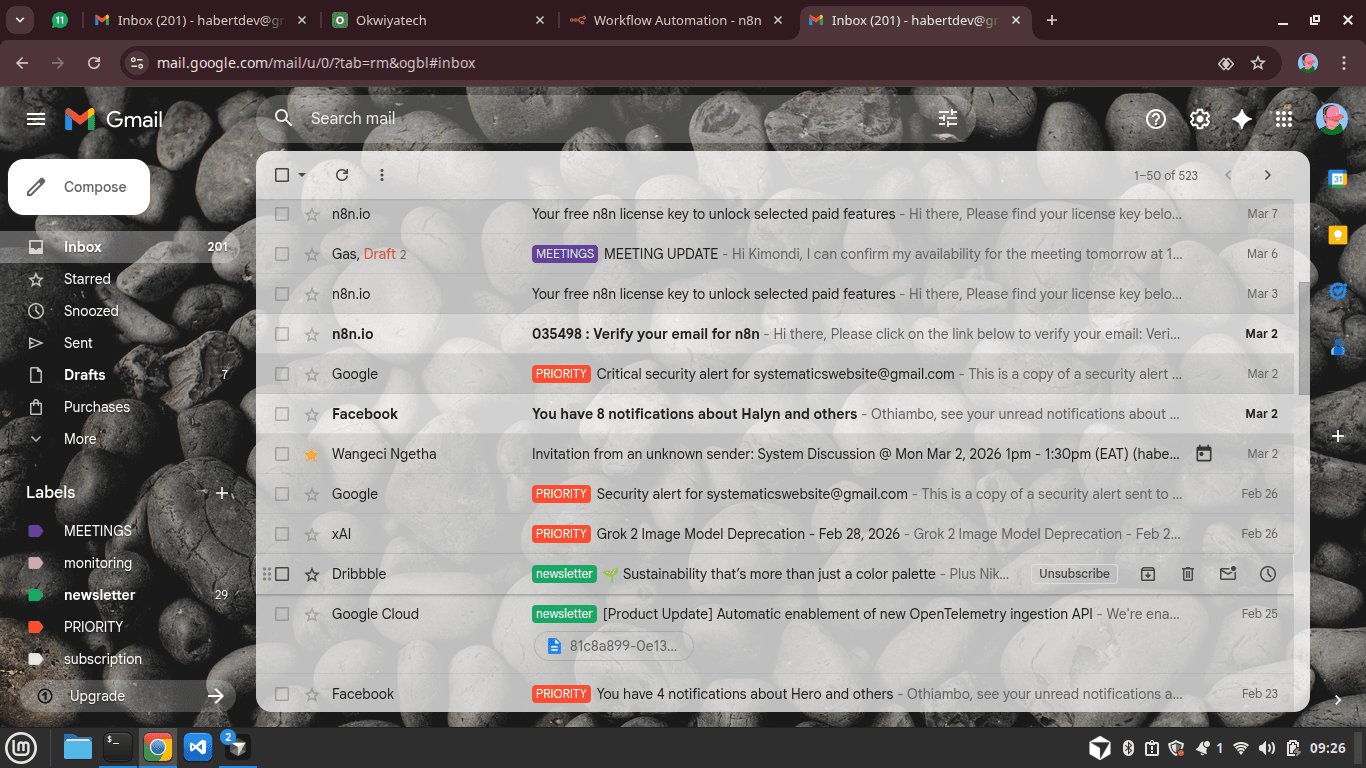
- •Auto-label important emails in Gmail based on keywords or sender.
- •Daily or weekly email summaries of unread or priority messages.
- •Auto-save attachments to structured Google Drive folders.
- •Convert emails into tasks automatically in Google Tasks or Todoist.
- •Automated follow-up reminders for emails not replied to within X days.
Calendar & Scheduling
Stay on top of your schedule with agenda summaries and meeting prep.
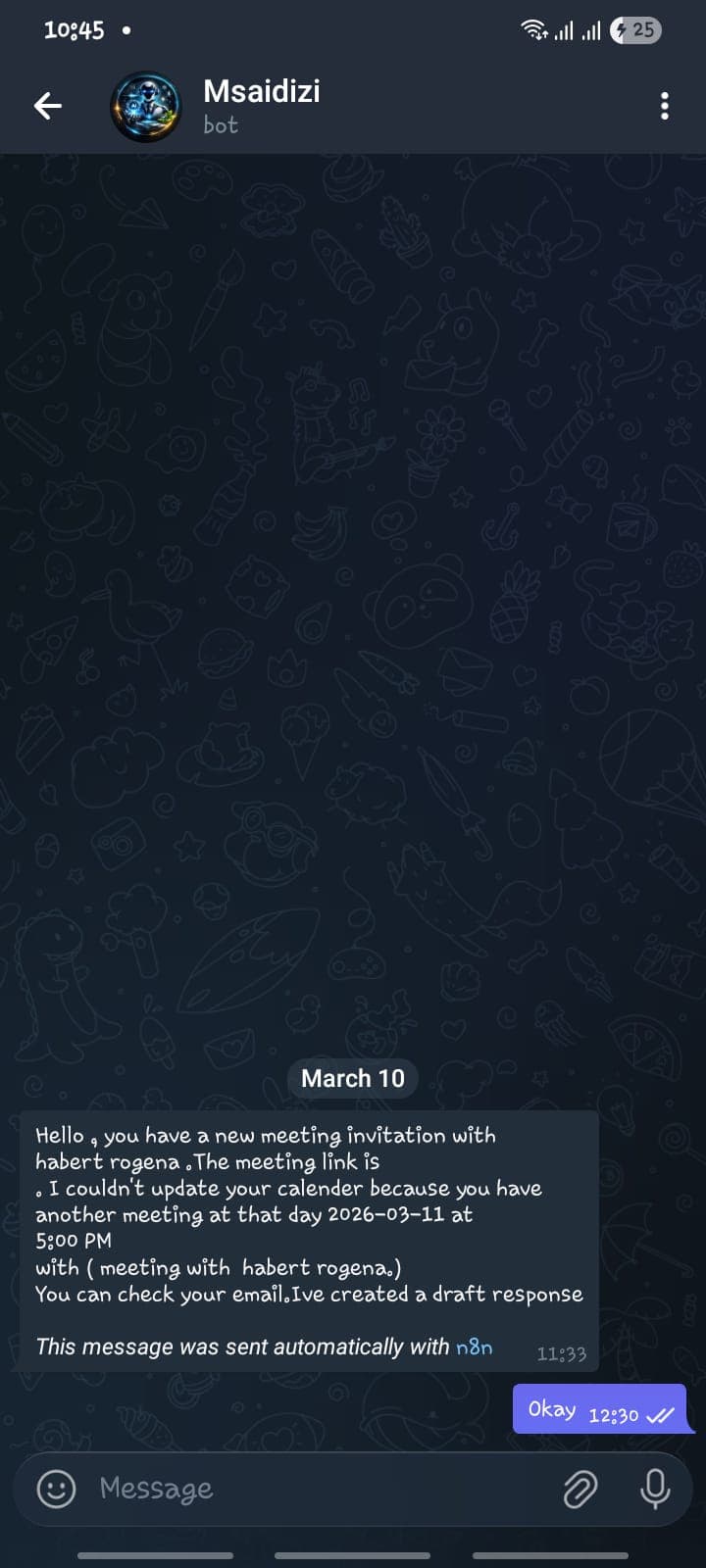
- •Daily/weekly agenda summaries delivered via email, Slack, or Telegram.
- •Prepares meeting notes templates in Google Docs automatically.
- •Detects conflicting meetings and proposes free slots automatically.
- •Follow-up task creation after meetings (e.g., “send notes,” “complete action items”).
- •Optional: schedule focus blocks based on busy periods in calendar.
Task Management
Create, track, and never miss a deadline.
- •Create tasks from labeled emails or calendar events.
- •Recurring task automation (weekly/monthly tasks) in Google Tasks.
- •Track task progress in Google Sheets automatically.
- •Send notifications/reminders for overdue tasks.
Document & File Management
Keep Drive organized and documents in sync.
- •Organize Google Drive files automatically by project, file type, or keyword.
- •Backup updated Google Docs to a versioned folder.
- •Notify user when shared documents are updated by collaborators.
- •Auto-create meeting notes, templates, or reports in Google Docs.
Productivity Analytics & Reports
Understand how you work and where to optimize.
- •Track completed tasks, email volume, and meeting hours weekly.
- •Summarize workload trends in Google Sheets or email.
- •Identify time spent in meetings vs tasks to optimize productivity.
- •Optional: send visual charts or dashboards for weekly insights.
Cross-Platform Notifications
Get alerts where you work—email, Slack, Telegram, or SMS.
- •Deliver alerts via Email, Slack, Telegram, SMS (e.g. Twilio).
- •Conditional alerts: urgent emails, upcoming deadlines, or missed tasks.
- •Optional: voice-triggered workflow using Google Assistant.
Workflow Integration
Connect Google services and beyond in a single automation flow.
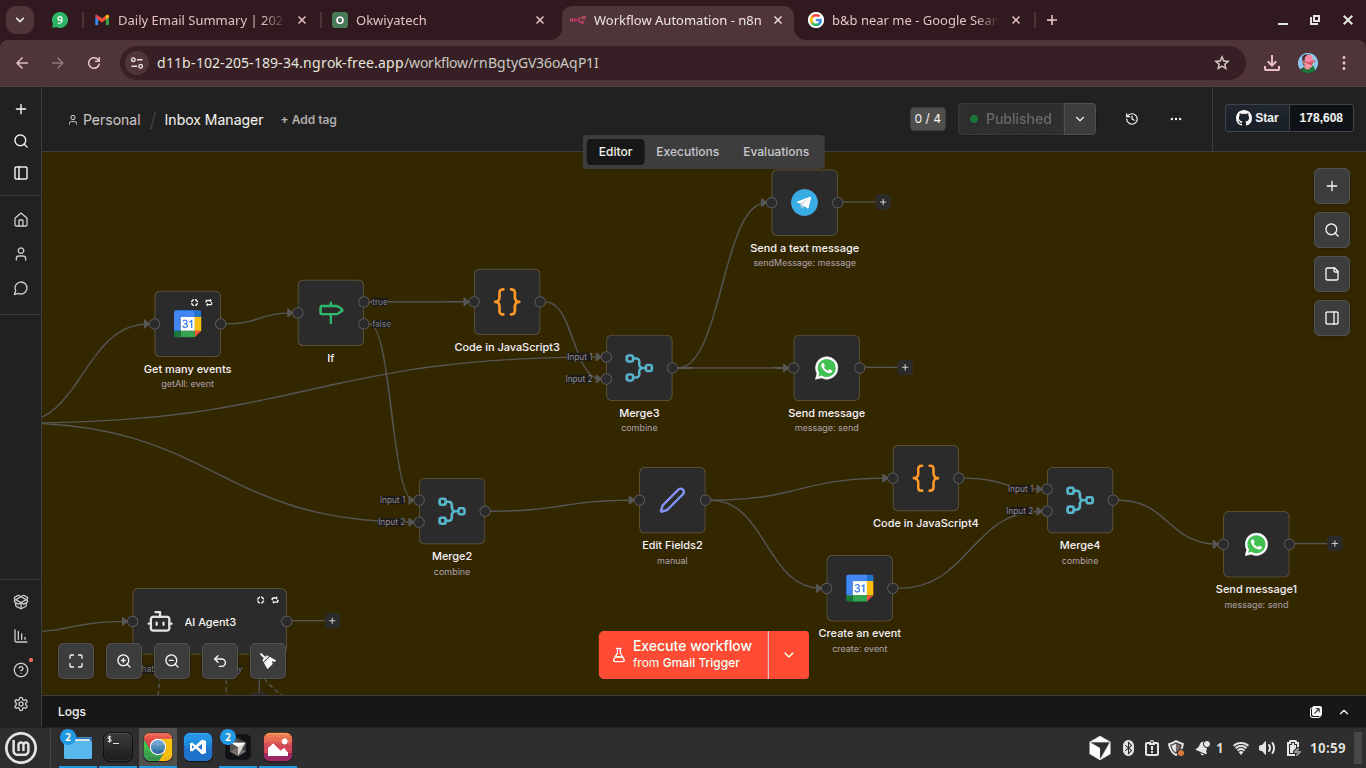
- •Combine multiple Google services in one workflow (Gmail → Drive → Calendar → Tasks).
- •Conditional logic (if/then rules) for automated decisions.
- •Scalable: add new apps later (Slack, Trello, WhatsApp, Zoom, etc.).
- •Cloud-hosted or self-hosted option depending on your preference.
Optional upsells
Extra Value Features
Add AI summaries, team dashboards, custom workflow consulting, or multi-team management.
- •AI-based email summaries or meeting notes using GPT API.
- •Team dashboard for shared productivity insights.
- •Custom workflow consulting: adapt automations to your business needs.
- •Multi-client or multi-team management for agencies.
Summary
Your Virtual Personal Assistant
One system that handles:
- Inbox management
- Task tracking
- Calendar organization
- Document handling
- Analytics & reporting
- Multi-channel alerts